- HOME
- –
- Contact
Contact Us
Get in touch with us today
Do you want to know more information about our courses? If so, please fill out the form beside. We will contact you as soon as possible.
Do you want to know more information about our courses? If so, please fill out the form beside. We will contact you as soon as possible.
with Expert OnlineOffline Training
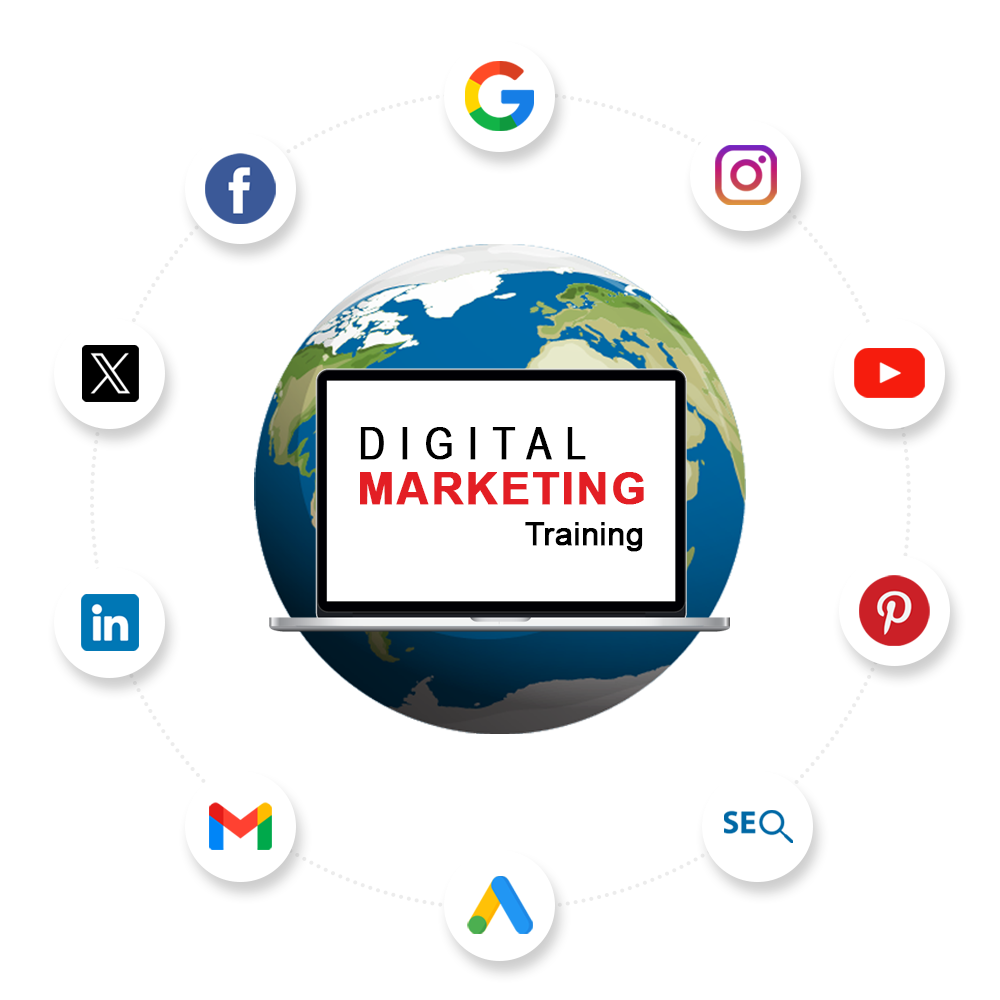

Gain practical skills through interactive learning, real-world exercises, and live campaigns.

Navigate your career path with strategic insights, hands-on skills, and industry expertise.

Earn a recognized digital marketing certification. Validate skills in SEO, social media, PPC, and analytics.


I have accumulated extensive hands-on expertise across a wide spectrum of digital marketing disciplines.

A profound grasp of digital trends, algorithms, and the continually evolving online environment.

Proficiency in simplifying intricate digital marketing ideas for learners at every skill level.

Possession of pertinent digital marketing certifications, including Google Ads, Google Analytics, and more.

Continuously staying abreast of the latest industry innovations and emerging platforms.

Capable of adjusting training content to synchronize with the current demands of the market.
Opt for our expertise in delivering practical insights and innovative strategies that yield measurable outcomes. Our training is tailored to your specific skill level, ensuring a personalized and effective learning path. Our track record of success is a testament to the numerous individuals and businesses that have thrived through our training. Join us to harness the potential of digital marketing and maintain a competitive edge in today’s dynamic landscape.
Hurry Up ! Time is Running Out Enroll Now


CED

CED
CED








4-5 Weeks of Internship
–
Nikol, Ahmedabad, Gujarat.

Each intern will be paired with a mentor from the marketing team who will provide guidance, feedback, and support throughout the internship.

Interns will receive ongoing feedback and performance evaluations throughout the program. At the end of the internship, a comprehensive evaluation will be conducted, and interns will have the opportunity to discuss their achievements and areas for improvement.

Interns will have the opportunity to work on a final project that showcases their digital marketing skills. This project should demonstrate their ability to plan, execute, and measure the success of a digital marketing campaign.

Upon successfully completing the internship program, interns will receive a certificate of completion and a letter of recommendation based on their performance and contributions.

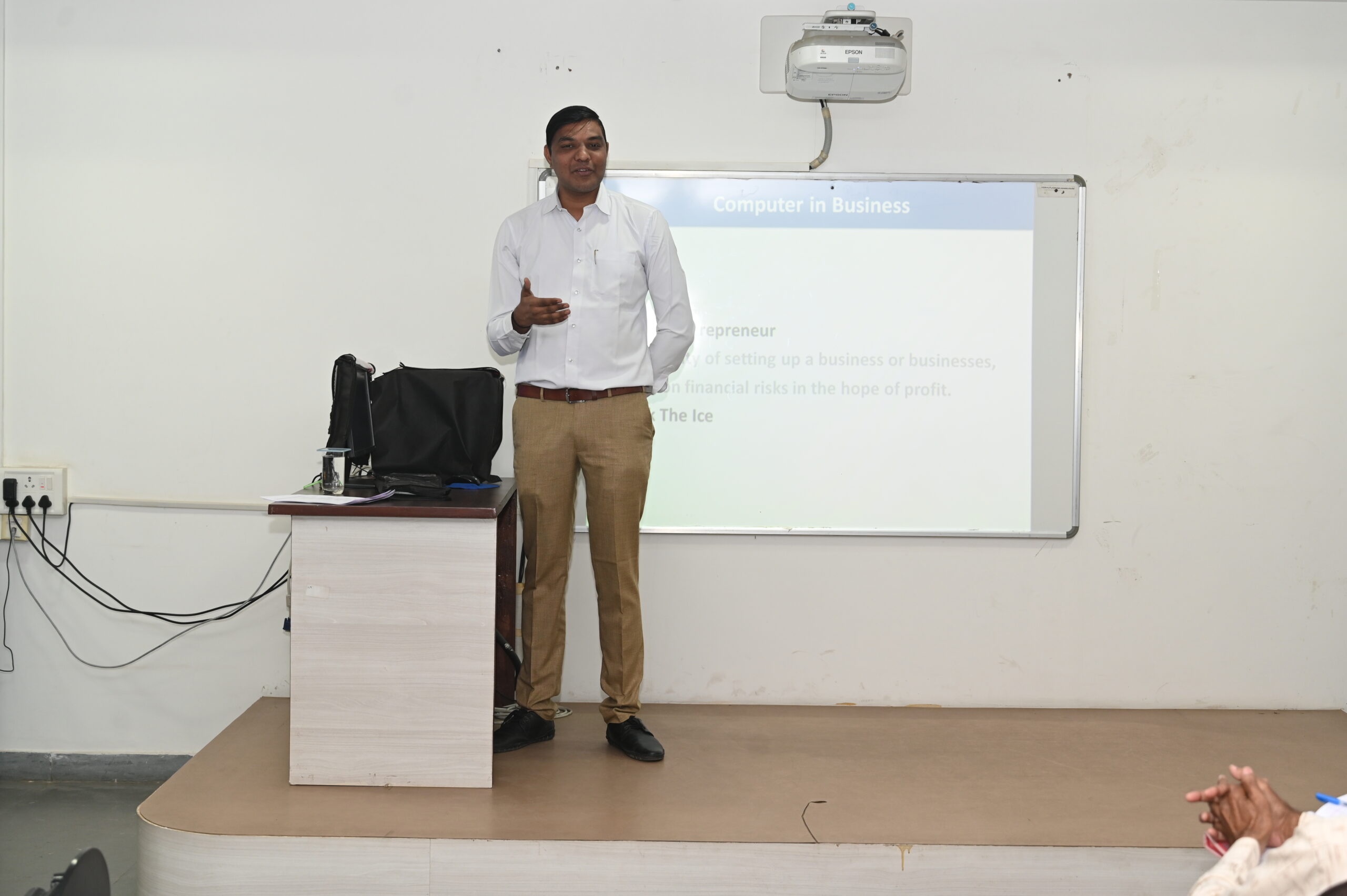
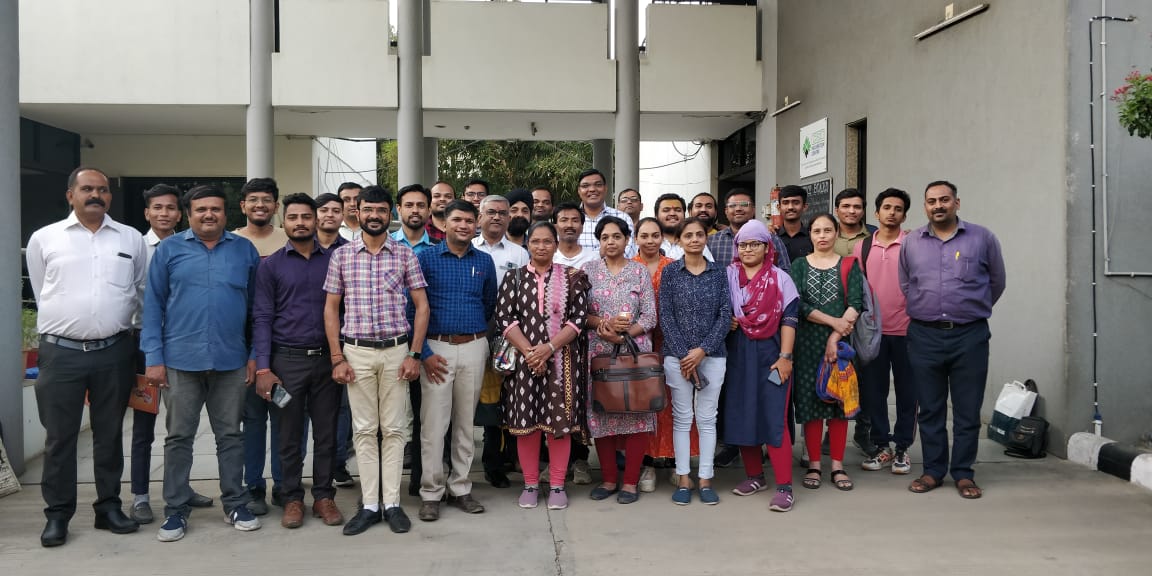
It was very nice to attend ced digital marketing session. Alpesh sir thank you so much for your guidance and lots of tip.
Whether you’re a business professional looking to upskill, an entrepreneur aiming to expand your online presence, or a curious learner eager to dive into the dynamic world of digital marketing, we’ve got you covered. Explore these frequently asked questions to gain a better understanding of the valuable insights and skills you can acquire through our training.
Digital Marketing – The name itself has the meaning: Marketing the products and services on digital platforms. Digital marketing is a subset of marketing that is used to promote a brand or product using one or more electronic technologies.
Search Engine Optimization (SEO), Search Engine Marketing (SEM), Pay-Per-Click Advertising, , Social Media Marketing, Content Marketing, Affiliate Marketing, Email Marketing
Search engine optimization (SEO) is the art and science of driving targeted website traffic to your website from search engines.
Social media marketing is the use of social media platforms to connect with your audience to build your brand, increase sales, and drive website traffic.
Content marketing is a form of marketing focused on creating, publishing, and distributing content for a targeted audience online.
Video marketing continues to dominate the digital landscape, and in 2025, its importance is set to skyrocket even further.
In 2025, businesses are no longer limited to single-channel marketing. Omnichannel marketing integrates multiple touchpoints—online and offline—to create a seamless…

In today’s digital world, content is more than just words or visuals—it’s the foundation of trust, authority, and sustainable growth.
We respect your privacy and we know how to feels when someone tries to violate your privacy.
So, we have set some ground rules as privacy policies which should be strictly followed by the clients. As it ensures a healthy client relationship.
We demand certain details from our client during the time of registration and we don’t disclose that information to anyone.
We include it in our legal terms that disclosing customer’s privacy to any third person is an offendable crime.
The privacy policies cover certain grounds or situation where you were required to submit some personal information which is as follows:
The above-mentioned grounds are covered in our privacy policy and we intend to keep it that way. Keeping your privacy safe with us is our responsibility.
However, we are not responsible for some fraudulent acting as our website that collects your information.
These policies solely apply to the information collected by our real websites or agents.
So, you should be aware of protecting yourselves from any imitation or fraudulent websites.
So, let’s go through our policies and shed some light on the principles that we follow.
So, we suggest that you should go through them to understand our policies to prevent any future mishaps.
What exactly is the information we demand during the registration and how we demand it?
Well, one way to save you from the fraudulent is to know about the information we collect from our clients and the time during which we collect such information.
So, carefully go through the list of details we demand while client registers with us.
Your private and basic information that includes:
This Information is collected under certain applicable law or personal law as you call it.
And most importantly this information is collected directly by you either through website registration or by our agent.
We don’t make the involvement of any third party to diminish the chances of fraudulence.
Site should not be operated by underage children
Our site is not meant to be operated by the children under the age of 17 or so.
If they are operating so, then it should be done under the guidance of the parent.
If by anyhow, your child has interacted with our website then your information gets collected by us. In that case you can contact our support group to avoid any mishaps.
The information is collected as:
The information we collected from you is in form format.
As you register yourselves on our website then our website would automatically display a form on which you have to fill certain mandatory fields in order to enrol yourselves to avail our services.
In case of when you suffer any problem while operating our website and you decide to contact our support group then information is also demanded at that point of time.
We occasionally ask you’re for rating and review procedures. You can rate us or write a review about us based on your preferences. However, it’s not compulsory for you to do so. It is solely based on your preferences.
We store your search queries you make while browsing our website which in fact is done for providing you with a better user-experience. And that information is not shared with anyone.
We demand for your budget before making any arrangements for you or setting any event planning for you. Rest assured that the information is confidential and is meant for setting an event solely. So, we don’t disclose your financial status to anyone.
Why we collect such information.
Collecting your private information is done for a purpose. So, I will let you know how we use your information.
When we disclose certain pieces of your information
Planning an event does require a cumulative force of different teams.
So, in that case we share certain of your information with our affiliations such as decorators, caterers and so on just to make certain arrangements make happen for you
Nothing is shared in such a way that could harm you or violate you.
The data you share on our website is completely secure as we have verified and certified accounts on Google. Plus, we use high quality encryption that is a hard bit to crack. So, you don’t have to worry about a con artist interfering with your information sent to our server as it is safe with us.
You can always contact us about any privacy related concerns with our support staff. Or you can contact us on the contact information provided below.
We would be more than happy to assist you.

October 7, 2020
As the name itself suggest on-page optimization means we make changes, updates, or correction within the website to improve the ranking in search engine. The following are the key factors.
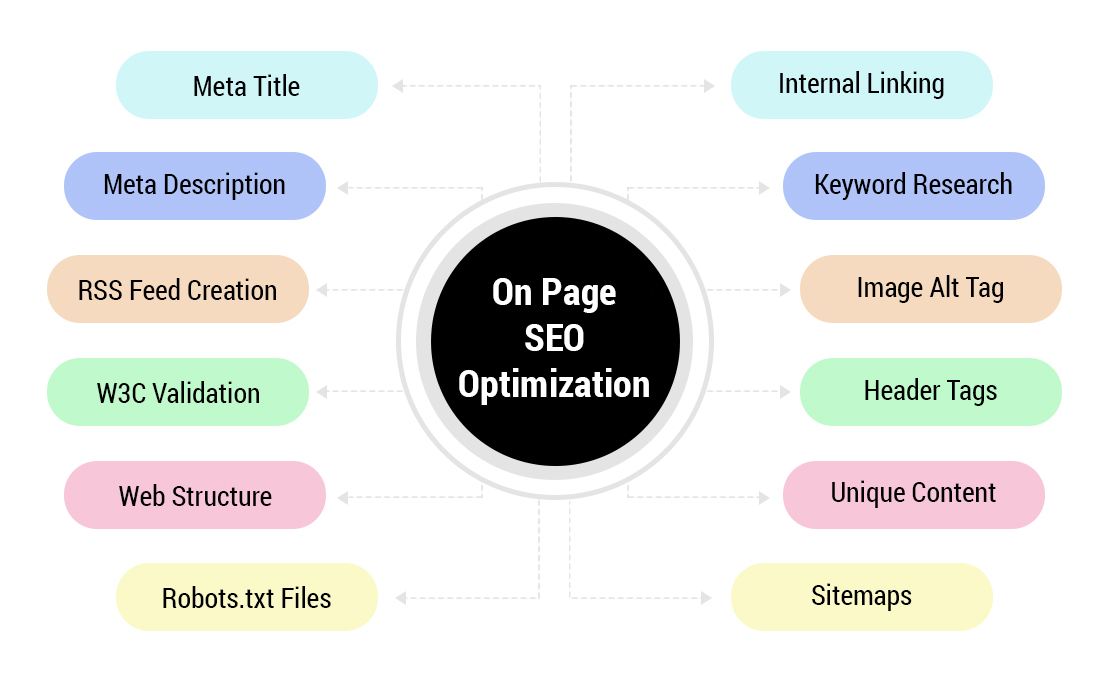
“As content is King” write best and unique content. Write at least 1000-1500 words content for best result and practice. In 1000-1500 words content put 2-3 keywords, try to put some synonyms rather than repeating the same keyword. After writing content calculate the keyword density. Try to involve some special features, applications, advantages of the product, or services so that visitors can know more about the services. to get the best idea about what to write in the content. you can use content research tools like BuzzSumo, Ubersuggest. There are different types of content based on our goal we can choose the content types to write & promote in our websites like informational content, transactional content, seasonal product, or service content.
The second important thing after the title is the keyword. Do some research and select only the best relevant keywords. There are many keyword tools are available in the market like Google Keyword Planner, Keyword Tool (FREE) by keywordtool.io, Keyword Magic Tool by SEMrush, Free Keyword Research Tool from Wordtracker, Explorer: SEO Keyword Research Tool by Moz, Keyword Exploerer by Ahrefs. With these tools, you can also able to see your competitor’s keywords. on which keywords they are getting the traffic; which keywords are ranking & which keywords are giving them the most of the business. Select at least 5 keywords and select 2 among them. Find out synonym keywords. Don’t repeat keyword by adding a small word like ball valve, ball valves, ball valve India that’s are consider as stuffing as a new algorithm. Choose a keyword by considering yourself as a visitor, what you would like to see.
Meta tags can be divided into 3 parts-
Title, Description, and keyword
Title: Title must not be more than 55 characters for Google search engine and yahoo and bing it is near to 57-60 Single keyword title is also not good for search engine so try to put at least 50 characters title.
<title>Primary Keyword, Secondary Keyword, Nature of Business</title>
<title>Primary Keyword, Secondary Keyword, Geo Location</title>
Note: Nature of Business means manufacturer, supplier, trader, service provider, or exporter
Geo Location means Geographical Location where your business is located like Ahmedanad, Gujarat, India
The description must be a summary of your entire page that SE can understand easily. If you put only keywords, then it’ll be spam. There are 160 characters limit of Meta description for all search engines. If you put here some weak summery than your content, then SE may show description result from your content, so try to some informative content, there is no issue if you put your keyword here but if your description includes a keyword then it’ll better for ranking.
Generally, the limit of the keyword is near 400 characters or you can put a maximum of 22-25 keywords here. Don’t stuffing here also, if you don’t have enough keywords related to your product or services then find some synonyms. Put at least 3-5 Meta keywords. You can use the same keyword as a title but not stuffing.
URL should be simple as possible which Google can understand easily. Save yourself to make long, irrelevant, confusing, or digital URLs, it may harmful to your site ranking. Do not go for a very deep link. I recommend you use – instead of _.
H1 is important for site ranking. Make a priority keyword as H1. Sometimes Google shows the result from H1 instead of your title because your title may weak than your H1. Now, if you don’t out H1 than these results you may lose. Use H1 single time on every page. You can use H2 more than 2 times.
This is a better tag to expand your image visibility. Google recommends that you must put an alt tag for every image as possible. If you don’t then it may decrease, you’re ranking. Use (-) hyphens for alt tag. Your alt tag must be useful and understand the context.
It is a hyperlink that points from one page to another page on the same website. It helps to decrease your bounce rate. I recommend putting 3 internal links on a single page but it may be increased in case of long and descriptive content and I needed to point out some other page for more information. Don’t repeat the same link. Try to make at least 30-40 words distance for linking as per content.
Your site must browser compatibility and it must adjust with any browser automatically. The coding of the site must be visible for SE. Your site should be W3C approval for better performance. It must contain all alt and h1 tags. Your site must not harmful to the visitor it means it must be virus-free. As the latest algorithm if you also create a mobile compatibility site, then it’ll better for site ranking.
Generate XML sitemap. These are created to inform Search Engines about your site and pages that are available for crawling and indexing. Sitemaps are a list of all URLs available on your website. there are many tools available like XML Generator, Yoast
At last, upload the webmaster tool of different search engines so that they can access your site easily. Various webmaster tools must be considered like Google Search Console (Previously it was Google webmaster), Bing Webmaster & Alexa webmaster. Also, put Google analytics to your site. These all tools help to know about your traffic, ranking, positive & negative result, and many more.
Off-Page optimization means we make changes, updates, or corrections outside the website to improve the ranking in search engines. Off-Page Optimization Plays a vital role in website ranking. it helps & gives a proper signal to robots through backlinks to rank certain pages in the search ranking.
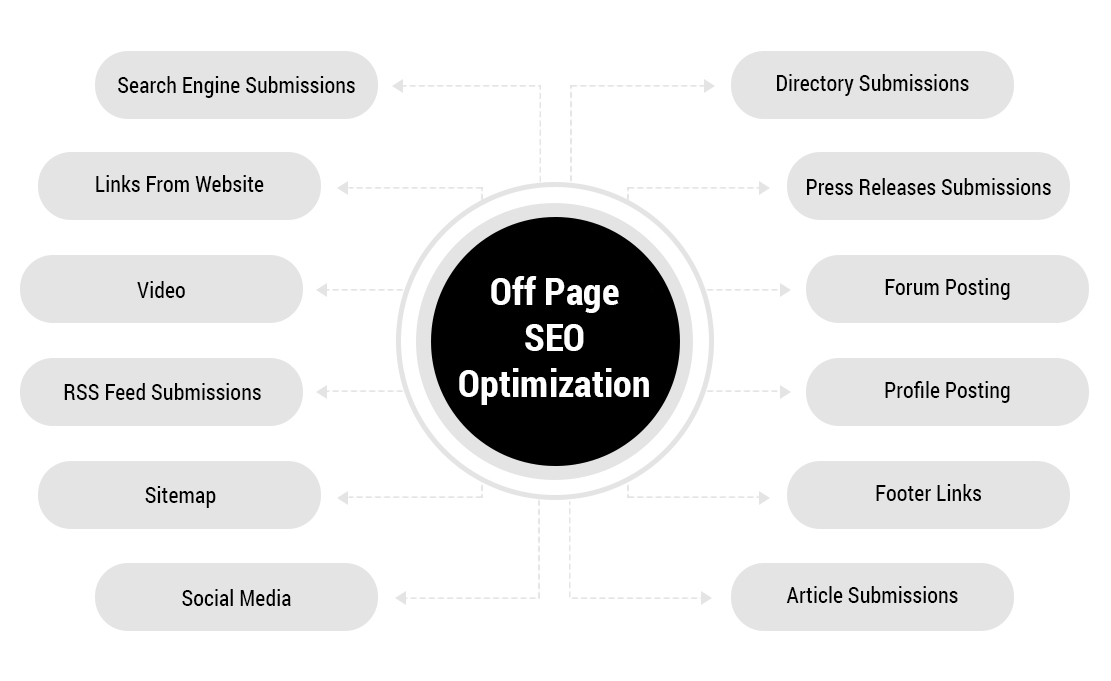
After completing all on-page activity, submit your site URL to all popular search engines. Don’t see backward even they require any verifications like webmaster upload or put small code in your site. They are required to crawl your site. If you are looking for positive and long-lasting visitors from a Search engine, then don’t use any auto-submission tool or software, they all not good for submission. Try to register in all sites so that you can check your performance later. Submit the only homepage only and SE will index the entire site as their policy but don’t spam.
If you want the best results short time then go for only high pr directory submission. There are more than 1 crore directory listing sites but I think only 5-10% has good pr and others are low pr. For quick results you can go for paid listing with good pr sites, they not charge higher. But you want to for a free listing with high pr, then you have to go for a reciprocal link. But if you go for low pr and free listing then it’ll not affect much, but I think it helps in positioning monitoring. You can go for free listing but give priority to high pr. This technique you should try at last when you have completed all on-page and off-page techniques because it takes more than 3-6 months for approval for free submission, it means you have to wait for 3+ months. Further, there are some good pr and high-ranking sites also available like dmoz, viesearch, and many that review your site quickly, free and give nice backlink also. So, go for these sites instead of free and low pr submission.
Article submission is one of the best ways to increase your ranking and page visibility on the net. Many sites are giving free article submission like go articles that approve your article quickly. Some paid articles also available here which give business and corporate plans if your budget is high then go for it rather than other submission techniques because article submission will give the best traffic and backlink. I’ll recommend you go to this technique after search engine submission for quick and better results.
Title – a minimum of 70 characters for best result
Summery – a minimum of 250 characters
Date –
Content – a minimum of 300 words
Author name –
Author URL –
Company information –
PR is one of another technique to enhance page ranking and visibility. It similar to article posting but the main difference is it contain generally company news and information like company introduce a new product, company share/profit increase this year. But here also we have to keep in mind that we can’t make a direct advertisement. You can use the organization name but do not promote your product. You must create fresh news including the latest information about the company like machinery, services, technology, etc. It is also known as media release news release.
Sample – Same as article submission.
Forums are generally considered as a discussion site where you can share your knowledge and ask some questions. Here the main thing you must consider is the rules of the forum. You have to read the terms and conditions of the forums before posting any thread. Here you can make a discussion related to your product or services without promoting your product directory. Don’t try to put your URL while posting any tread because the site will ban or remove for permanently. Don’t put any link until you get a trust seal or trust reward from the site. You will get this trust seal in two conditions – (1) Become the oldest member with regular answering and participating in the discussion. (2) Post every day new discussion or tread without any link until you get approval by the site owner.
Yes, you can post your brand name at the end of the tread, nut only brand name, not email, URL, telephone, or address because as their policy it will be spam. Your site can also get a backlink with our organization or brand name without any URL. Doesn’t post spamming, repeated, or more than 2 threads on the same day for better discussion. Try to earn more rewards for more backlinks. Try to post questions or discussions. Use forums at least once in a month for the regular backlink. Here you can add your site URL in the signature section and it will have appeared in every tread as your wish.
As a name, you can post you’re your requirement like selling or buy or rent. Here also if you post your requirement with informative content including specifications and technical features than it’ll best. Made an interesting and attractive ad so that you can get the maximum click, which helps in ad promotion. Use high PR sites and prefer local classified lists. Here also the same as forum means if can get a backlink from your brand or organization name without including the URL. Try to post 1 ad every day instead of huge ads the same day. If you are posting this ad for a long time, then update the ad with a regular gap. Use new content for high pr sites.
This is one of the best and quick effects off-page technique these days as per the latest algorithm. Make official profiles and id in all most popular social sites like Google+, FB, twitter, and stumble upon and post every day some new content. Increase likes and followers for more reach. These days it is more powerful than any other technology whether it is an article or pr release because people are more active in social sites than others. Try to make a brand on social sites by posting true and real content. Organize reward programs for more interaction with the people.
Try to post an image with informative content. Create a separate page with your brand name. Here you can also post your articles and press release which make you more popular in society. In my experience, if your hard work on these sites on regular basis then you can see its positive effect within a short time. Use high pr sites only. After creating sites and blogs it should be the third step for off-page SEO. Content your all social sites with your site or blog.
It is a mini-site or content-based site that looks like a dynamic site where you can post fresh content. First of all, create your blog with a simple template with good design and involve all import pages like about us, product/ services, and contact us. Post every day new content with images if possible so it looks attractive. Use SEO widgets in your blog; allow commenting section and social site sharing function. Write every day different content instead of the same information and product information. You can use the latest trends like your political, social views also. Upload Meta tags, use labels, and alt tags for SEO. Blogger and WordPress are the best places to create a free blog and you can also buy a personal domain like .com with this blog with free hosting benefit.
Blogger is more preferable because it does not involve any direct advertisement without your permission, where WordPress can show advertisement without your permission. Once you getting enough traffic than you make some money also by AdSense and other similar sites. Before posting any post keep in mind that visitors will go to your site for some informative material. Try to use maximum functions offered by the blogs. If you do SEO of the blog along with your site, then it’ll extra advantage for your site promotion. Give a direct and hyperlink of your site in the content.
This technique still works to get traffic from other sites, but if have to keep in mind strictly that choose an only relevant blog to post your comment. Try post your views related posted content like ask any confusion question or give your opinion so that the site owner can approve your comment and post in the blog. Go for only high pr blogs. Give only a hyperlink because it’ll more effective than a direct link. Don’t post short descriptions like nice, good, appreciated but post your enough opinion which another commenter will also like along with the blog owner. Post your comments as per content and relevancy. I recommend posting your comments not more than 3 in a single day.
There is a ratio of posting in blog and forums of relevancy – 10 irrelevant comments or discussion = 2 relevant blogs. Don’t post your complete company information like name, email, URL, address, phone, or other because only one hyperlink or 1 brand name is enough to get approval from the site owner. Some countable blogs allow your comment and give a do-follow link and an only do-follow link is beneficial, so find do-follow blogs before commenting. There are various techniques available on the search engine to find our do-follow and relevant blog.
These are similar to directory submission because sometimes it also takes a long time to approve your link but it also plays an important role in off-page SEO and you can’t ignore. Here also the same thing as others I mean high pr social sites to post your links. Generally, you have to register in the site before posting your link so the first register and post your homepage only and the site will appear in upcoming news, and when the site owner approves this when it’ll go into the features or live category. Before posting read all terms and conditions so that your site gets approved quickly. Give your true and informative content.
As a title it is something different than social sites like Facebook, here you have to give a direct link to your news or information where social sites place where you can communicate with others. Post a single link in a single day in every site and don’t post-second link until your first link gets approved. Sometimes upcoming news section also helps backlink building so don’t ignore this off-page technique. But my recommendation, go to this technique after article, pr, forum, blog, and similar which are effective and quick. In this site, all content like title and description is automatically taken from the given URL but you can also change as per your wish.
This technique helps in increasing your sales and brand name in the local market. It should be before classified, directory listing, and social bookmarking because if anyone gets your reference from this site then they can know about your brand or organization through these local listing and Yellow Pages sites. Here try to give your complete detail including contact information and complete your profile on the site. Give your homepage instead of a deep link.
This technique helps to increase your image or video visibility on search engines. Post your images in most popular sites like Picasa, picscrazy, and similar with enough description and keyword. Post everyday images, try to post your own captured pics for more benefits. Post clean images with their suitable name instead of a digital name like 1234 and more. Some sites allow posting alt tag or captioning so use it because these are best for image marketing. Create your page/profile in these sites with your organization or brand name and upload videos and images on regular basis. Don’t post copied, copyright, and restricted images that harm your sites. Put your company detail along with contact detail and URL on the profile page.
Documents mean PPT, PDF, Word file, excel file. There are various sites with high pr and quick approval functions like slide share which increase your backlink. For better results try to post at least 1-2 posts every week with your brand name. Here you can share your company news, company production, management, and account-related news also. Make a slide show and publish it with a download option. When posting your docs, give an appropriate file name because some sites take the title from your docs file title. You can also modify the title and description and keyword also, so use all given options for improvement.
This is beneficial when you exchange your link with a relevant site or blog. Generally, there are two ways to exchange link one is reciprocal and the other is paid. When you have fewer visitors then there are low chances of link exchange because your partner site will not get any benefit from you rather than a backlink. But you can go for a paid link exchange. Before link exchange, you have to ask the site owner to exchange links via email, call, or comment box. If ready then give him the best suitable title, description, and keywords along with a good snapshot of your site. Always ask him to put your site at the top of the right site in effective and visible text. Give only the home page only. Regular check your link in the exchanger site.
This is another way to get a backlink from high pr sites. There are many sites like ask, yahoo answer, ehow where you can post your question and expert will give you answers. Here you can post the URL also but try to not post it and post only your brand or organization name. Sometimes, these sites remove your question if you post any link due to spamming activity. This does not end; give answers also with your brand name to that visitor take interest to know more about your brand. Never post URL in the question title. You can put it at the end of a question like “what is Google –Web solution, Ahmedabad” and give your URL to the profile page. Try to give some descriptive answers.
There are many sites which give your site’s performance and HTML related information which helps in improving your site performance on the search engine. Sometimes these sites provide strong backlinks also so don’t think about backlink using this technique and consider all correction and improvement suggested by the site. Register on this site so you can get a full report on your site. These are like webmaster tools but something different it also shows host provider, domain provider, and many more.
This is an advanced technique that is effective in the year 2013. It is the same as blog posting or article posting but the difference is posting authority. In your blog, you have the authority of posting and in the guest posting, you don’t have. The site owner considers the article and publishes it on his site with the author’s name (Some URL also maybe). Guest posting must not contain any promotion material because it is not approved by the site. In guest posting only fresh, relevant, and informative content published. At the end of the article of guest posting, you can put the author name, URL, or company name but I suggest you read the site’s terms and conditions before submitting your article.
These all are Search Engine Optimization factors which affect your ranking in search engine.
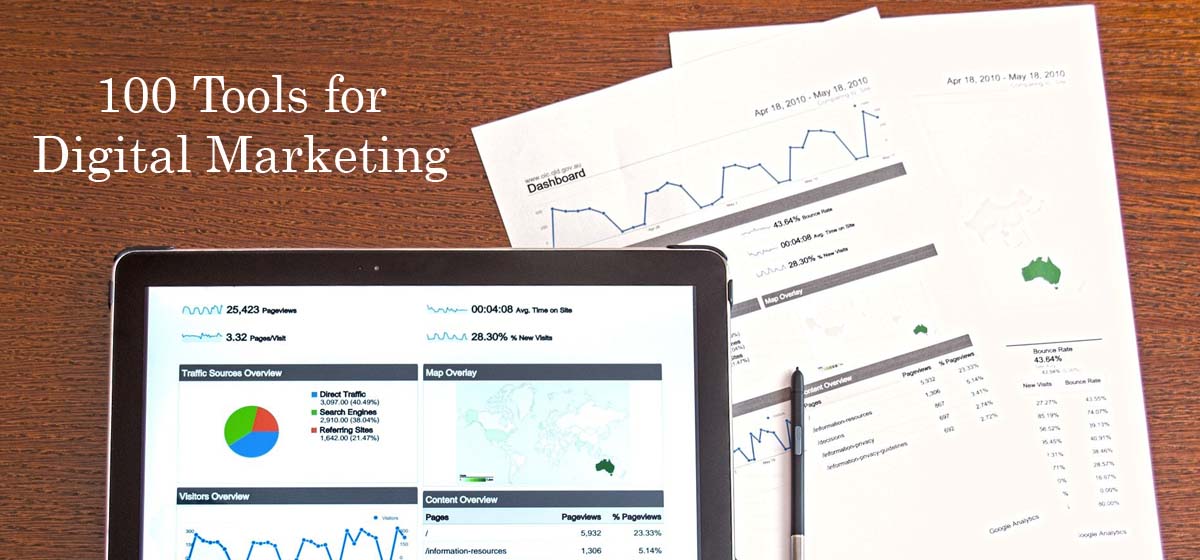
October 6, 2020
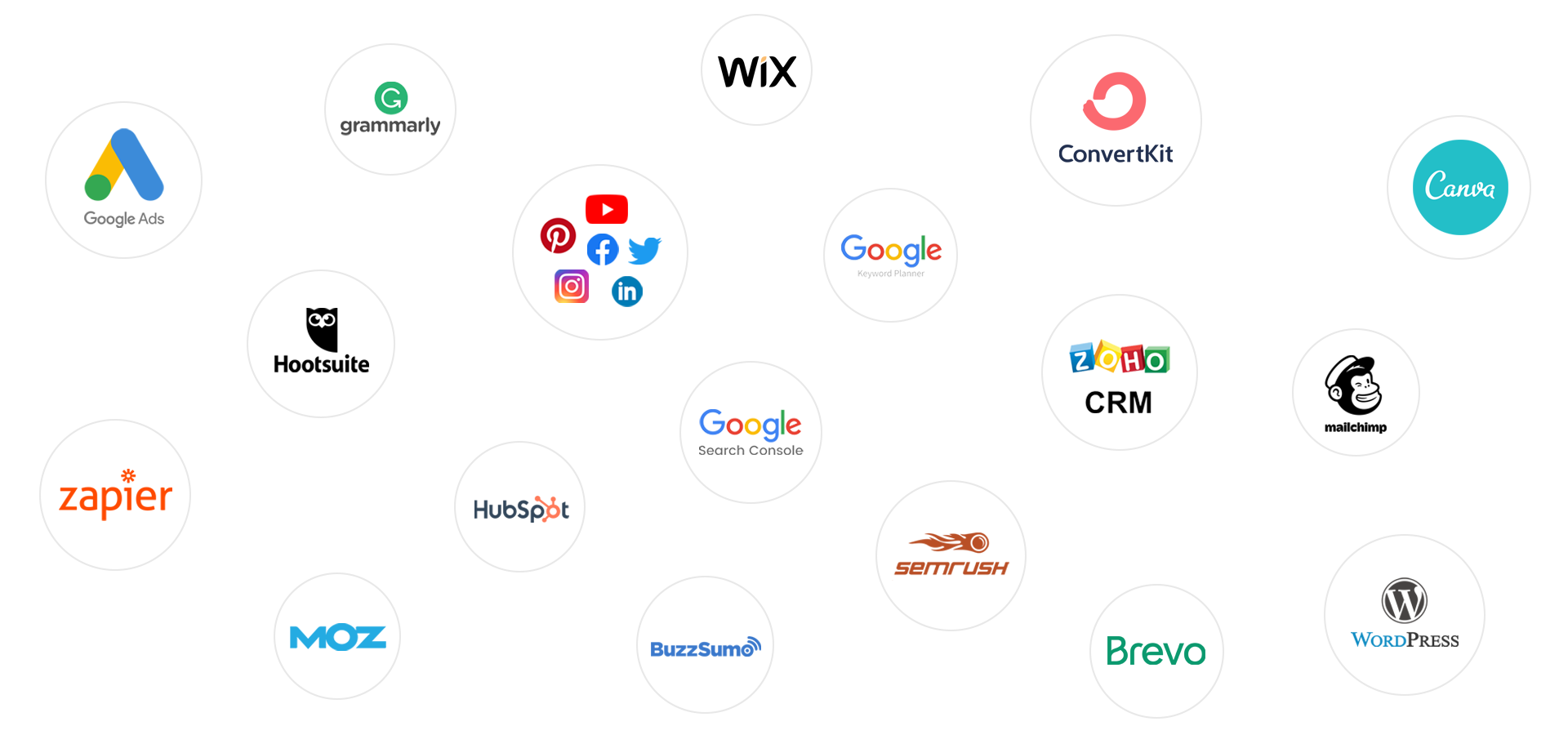
To manage multiple social media accounts and create social media posts, schedule posts.
To manage multiple social media accounts and create social media posts, schedule posts.
Online reputation management tool and finding competition of your product and services, helps to improve customer experience.
Moz builds tools that make SEO, inbound marketing, link building, and content marketing easy.
Research influencers, manage your relationships, and conduct outreach that’s personalized and efficient.
To build it to free salespeople from bloated software, help them focus on sales actions and change the very way they work.
Manage contacts, sales and grow lasting relationships.
A user-friendly platform with a functional landing page builder along with a few other solutions.
Create a elegant landing page.
Run a search to quickly discover content ideas, uncover platform insights, identify passionate influencers and more.
Trying to meet the operational needs of your business AND the extremely high digital expectations of your valuable customers like payments, custom API, Core Banking and so on.
Create animated content like videos.
Vidyard is an online video platform for business which allows you to increase leads, accelerate your pipeline and delight your customers. Create videos that add a human element to your communications with prospects, customers, and coworkers–no video expertise required.
Advertise on Twitter.
Everypost is a Social Media Platform that manages multiple networks simultaneously. Discover how to maximize your business social marketing performance.
Companies run their marketing and product experiments on VWO because we bring together their entire org to conduct successful A/B tests across the customer lifecycle.
Use Crazy Egg to see what’s hot and what’s not, and to know what your web visitors are doing with tools, such as heatmaps, recordings, A/B testing & more.
Enabling People To Grow Their Companies Through Sales Funnels.
To use grammar and spelling checker.
CRM and sales and marketing tools help you get more done with less work so you can grow your business.
Drive higher ROI out of every message you send with advanced email marketing automation.
The five second test is a simple usability test to optimize the clarity of your designs and improve conversion rates by measuring people’s first impressions.
Get more twitter followers fast with Tweepi’s Twitter tools.
Form real connections with those who love your brand through the power of Sprout Social. See our social media management software solutions in action.
Tweriod is a free twitter tool that helps you make the most of Twitter by letting you know the best time to tweet.
Trello keeps track of everything, from the big picture to the minute details.
To make brochure, social media posts, visiting cards, logos and so on.
To make free Infographic.
To build single page sites using google forms and so on.
Uses for mail marketing, facebook ads, sms marketing and tracking all the data of users and their activities.
Uses for mail marketing, sms marketing and tracking all the data of users and their activities and mails as well.
To generate Landing pages.
Select the Twitter users you would like to manage with.
To make blogs, landing pages, logos and media files.
An online cloud-based customer service software providing help desk support with all smart automations to get things done faster.
A Facebook Messenger bot is a chatbot that lives in Facebook Messenger, meaning it converses with some of the 1.3 billion people who use Facebook Messenger every month.
Track customer’s activity on website.
To manage quora ads.
Leads transfer tool through social media.
Enabling individuals and businesses to easily create professional videos for successful online marketing. Make slideshows and videos.
Build personalized customer experiences, drive more revenue, and take your marketing strategy to the next level with Drip.
To use for Email Marketing automation tool.
Turn your ad clicks into conversions with the only landing page platform designed to create, personalize, & optimize post-click experiences at scale.
Freshsales is a full-fledged Sales CRM software for your business. You don’t need multiple tools to drive sales anymore.
Use to create, make emails and track their e-reports.
PageSpeed Insights analyzes the content of a web page, then generates suggestions to make that page faster by Google.
A powerful but easy to learn SEO toolset with a passionate community.
To Schedule, share, and recycle the posts you want, when you want. (SM)
Powerful Email Marketing Automation.
Manage and measure everything from social media to your audiences in one place. Discover your customer personas, what content they like, and influencers.
Deliver Answers Everywhere. Drive organic traffic, increase conversion, and improve user experience with direct answers across all digital channels – search, chat.
To make wordpress websites & blogs.
Build sales outreach cadences with email, phone, and social in as little as 5 minutes.
To make and edit videos.
Magisto online video editor is a fast & powerful video maker. Turn your photos and video clips into video stories with the Magisto movie editor.
Create and sell online courses and coaching services with the best online business platform used by the entrepreneurs.
Get MobileMonkey Facebook Messenger Marketing, SMS and web chat automation.
Make videos in minutes with Powtoon. Use our library of styles, characters, backgrounds and video, or upload your own.
With Constant Contact, you can create effective email marketing and other online marketing campaigns to meet your business goals. Screaming Frog – The Screaming Frog SEO Spider is a small desktop program (PC or Mac) which crawls websites’ links, images, CSS, script and apps from an SEO perspective.
HubSpot offers a full platform of marketing, sales, customer service, and CRM software — plus the methodology, resources, and support.
Quuu ensures you’ll always have the freshest, most relevant content to share with your followers on social media so you can automate your content curation.
Cool Tabs is plug & play Configure your campaign and get it online in a matter of minutes.
A powerful but easy to learn SEO toolset with a passionate community.
Get started with AWeber for free today – no credit card required and no time limit. Powerfully-simple email marketing.
Email on Acid is the leading email pre-deployment checklist and a configurable part of your email marketing workflow, from accessibility checks to email.
Our note taking app helps you capture and prioritize ideas, projects and to-do lists, so nothing falls through the cracks.
Integrated email marketing, marketing automation, and small business CRM. Save time while growing your business with sales automation.
search for any competitor. Download their keywords. It’s that simple. Learn competitors’ PPC & SEO tricks and avoid their mistakes.
Grow your business with CRM and Cloud solutions with the best all-in-one platform for Sales, Service, Marketing and more.
Grow your business with CRM and Cloud solutions with the best all-in-one platform for Sales, Service, Marketing and more.
Create videos for your business with Vyond’s animation software tool. From training to brand storytelling, keep your audience engaged.
Create interactive experiences for your audience — get more responses. It’s that simple.
Powerful lead generation software that converts abandoning visitors into subscribers with our dynamic marketing tools.
To generate reports on Daily Basis, Monthly & Daily. Get more customers on the phone, on your site, and in the door. Online ads on Google can help you reach the right customers and grow your business.
ChatBot for Facebook Page, Automation.
ChatBot for Facebook Page, Automation.
The easiest way to make your professional video
To create, manage and run LinkedIn ads
At Tagboard, our mission is to help storytellers across the world discover diverse perspectives in order to create authentic and interactive narratives and share
MavSocial is your affordable and easy-to-use social media management tool. Schedule, monitor and report from this all-in-one social media management
Search Console tools and reports help you measure your site’s Search traffic and performance, fix issues, and make your site shine in Google Search results.
Help a Reporter Out is an online service for journalists to obtain feedback from the public. It enables journalists to connect with experts in issues relevant to their reporting
Insightly is the #1 CRM software for Gmail, G Suite and Outlook. Marketing, Sales and Projects together at last on one cloud-based unified platform.
From ERP to CRM, eCommerce and CMS. Download Odoo or use it in the cloud.
Litmus empowers you to build, test and analyze emails for more conversions.
Uberflip is a Content Experience Platform & Software that enables marketers to create digital experiences with content for every stage of the buyer journey.
Increase your conversion from visitor to subscribers by 3X. A smart and interactive way of collecting your visitor emails.
To create, make and run facebook ads
To find the keywords and keywords research
To find the keywords and keywords research
To find the keywords and keywords research
A G2 Crowd Market Leader, Nimble helps you build relationships everywhere you engage — from your inbox to across the web.
Try The Proven Sales Pipeline Method. Organize Your Sales Stages Today.
Clevertim is an easy to learn & use, web based CRM and contact manager for small businesses.
A powerful landing page builder that helps create high-converting landing pages and drive sales for businesses.
Get more leads, sales, and customers with landing pages built just how you want in Unbounce’s drag-and-drop builder.
Send email newsletters, campaigns, online surveys and follow-up autoresponders.

September 5, 2020
The choice of Digital Marketing as a career is very significant. It is not compulsory to join a college or institute course for learning digital marketing as there can be a variety of other options for leaning digital marketing. One can use online resources and channels for building up the required skills in digital marketing. The most growing field in today’s time is digital marketing and most of the youngsters are choosing this field and getting success. The more the company’s business acquired online platforms and social media, the more digital marketing grows.
The first step for beginners is to identify and understand what exactly is digital marketing and knowledge of the main components of digital marketing. The main purpose of digital or online marketing is to market your products on online platforms. Digital marketing consists of a variety of social media platforms that help in online promotions. It is not a single discipline but numerous channels can participate in digital marketing campaigns. The variety of disciplines in this field are:
The next step after grabbing basic knowledge is to go out and start your website for practicing digital marketing. Launching your website will be one of the best ways to learn digital marketing and make yourself an expert. One cannot understand it by grabbing theoretical knowledge; instead, practical and measurable expertise will help you understand and learn more efficiently. Practically applying different techniques in more important. The creation of its website clears out the concepts of both practical and theoretical. The initial step is to set up a blog and increase its rankings. Then try to make a product and finalize it for making sales. Promote the products via advertising on online or social media platforms.
“A Website is the most important factor to boost up your personal and business identity”
One who wants to pursue his/her career in digital marketing, he/she should be good at Search Engine Optimization (SEO). The primary need to become an SEO expert and after that build up your other skills. SEO will teach you how to create a website that both users and search engines will love. It will also help you to improve the same concepts of Google Ads and Facebook paid campaigns. Gradually start with building your career in the field of SEO and then rise yourself step by step.
“70% of marketers see SEO as more effective than PPC.”
Google Ads will always be part of digital marketing for promoting various products and services by using multiple Google properties and websites on the internet. For acquiring necessary skills speedily then get a Google Ads Certification. There are many resources in Google for making you as a Google AdWords expert. The certification is a great way to impress the clients and also to prove your potential.
Read more about Google Ads Certificates Here
Try to get a real digital marketing job. It is one of the crucial steps in this field. The great way of practicing in starting your website and applying different digital marketing techniques but if you start doing digital for some clients, it can build up a different story. When you begin handling the client’s account, then you will learn analytics, reporting skills, set up procedures, control budgets, and ways of managing client communication. As a beginner, starts with easy and quick tasks so that you can learn more and better.
“In 2019, the freelancing industry contributed approximately $1 trillion USD to the United States economy.”
Now go ahead with social media marketing and particularly in Facebook Ads. You should be aware of all the social media platforms and how digital marketing works in them. Majorly most of your time will spend on Facebook and Instagram. Facebook become one of the most popular tools for digital marketing campaigns. The exact and only way to use Facebook is for selling tools or products. It would help if you learned how to do advertising on the Facebook platform so that users like your products. If you have a good knowledge of SEO, then learning Facebook Ads usage is not much difficult.
Google Analytics should be known to a Digital marketing professor. In digital marketing everything is measurable and it is the main characteristic of it. Metrics and measures will allow you to know how many people clicked on your ads, how many people viewed your campaigns, and many more. Start becoming an expert in Google analytics as this will help you learn the metrics and measurable parts of digital marketing.
Digital marketing has become a trend nowadays and people are learning how to do marketing through online platforms. One of the best things about digital marketing is quite affordable as compared to traditional techniques. The marketers can track customer response rates in minutes instead of choosing expensive customer surveys or research and also they can measure the success rate of the campaign in real-time. This enables the next campaign to be planned properly. The business companies that are not getting success in offline techniques, those can come and take up their business on the online platform. This may change their success rate and they can discover new techniques and technologies in less budget.
Digital Marketing is a trending field and youngsters can take up their careers in this field. It is not a single unified field digital marketing us a vast area where you can explore yourself and your skills as well as try out new techniques. There is not such hard work like going out and run around in the field. Your main thing which needs to be used in digital marketing is your mind and skills.